Everything in one place?
One network folder for all files.
Separate Designs?
Separate folders.
Machine files are separated from others. The operator only sees final .dst files in the shared folder.
Folder per Client?
Separate folders by clients.
Folders are structured by client. Ideal for quick retrieval of repeating orders.
Calculation Methodology
1x "USB Round Trip"
- Inserting USB into PC
- Finding file to edit
- Saving to USB
- Safe remove USB
- Ejecting USB
- Walking to machine
- Walking back to computer
- Inserting USB into machine
- Reading USB
- Finding file on USB
- Loading file to machine
Average time per manipulation: approx. 2 to 2.5 minutes
of
pure
media handling per file.
Repeat if something goes wrong...
Losses increase proportionally with your workload...
Below are three realistic scenarios with lost time calculations.
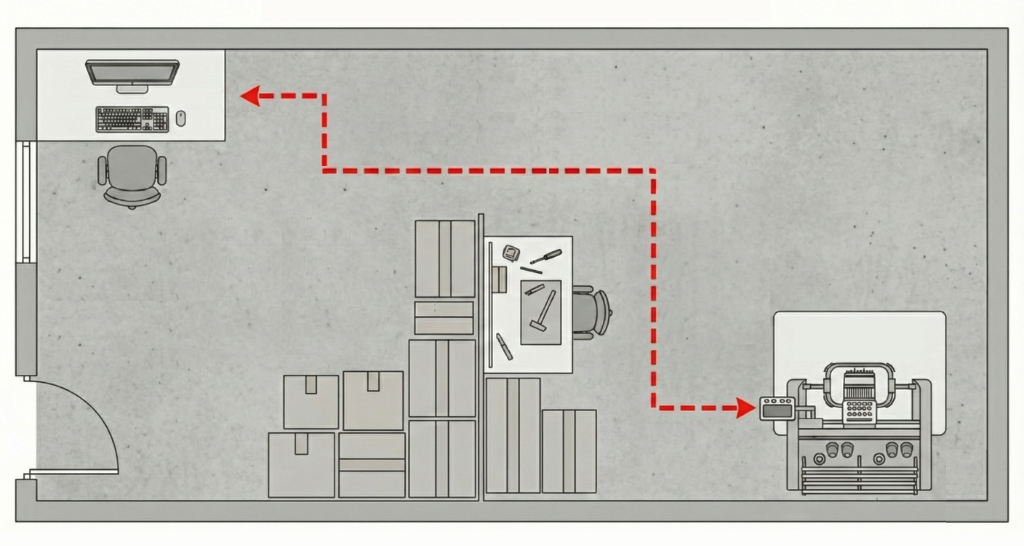
1. Garage Start-up
Small workshop (approx 20m²) with one operator doing everything.
Since these are smaller series or unique items, the number of corrections is high. The operator often walks between computer and machine for "Pull compensation" adjustments and similar.
Loss calculation:
- Number of new designs per day: 5
- Walks per design: 3
- Total walks: 15
- Time per walk: 2 min
Daily loss: 30 minutes
Annual loss: 125 hours (approx 3 weeks of work!)
2. Boutique Production
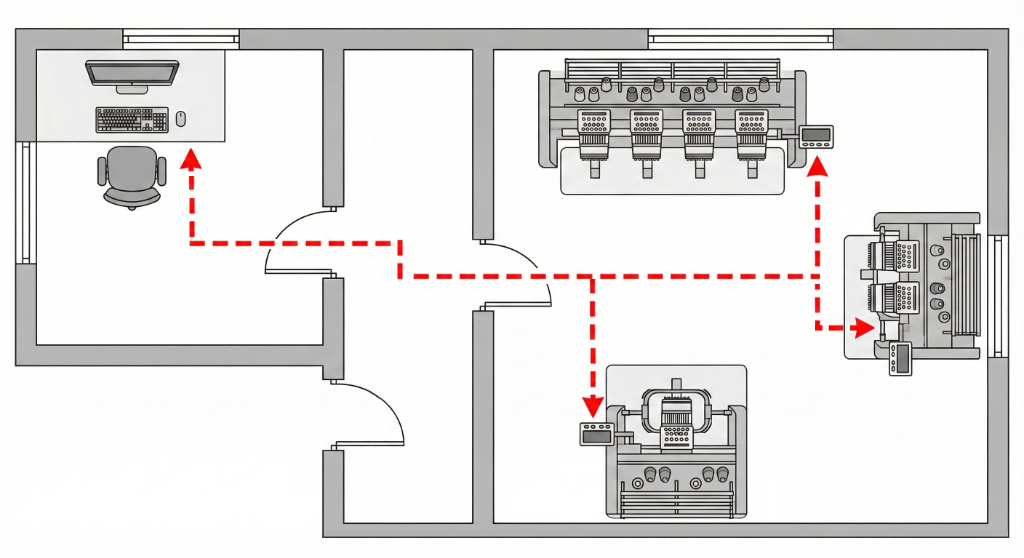
Medium workshop (approx 60m²) with separate office and production. Walking through doors and hallway.
Designer and operator are separate. When the operator finds an error, they must stop work, go to the office and explain the issue. Machines and people wait.
Loss calculation:
- Number of design changes per day: 12
- Corrections/versions: 2
- Total transfers: 24
- Time per walk (with communication): 3.5 min
Daily loss: 84 minutes
Annual loss: 350 hours
3. Industrial Plant
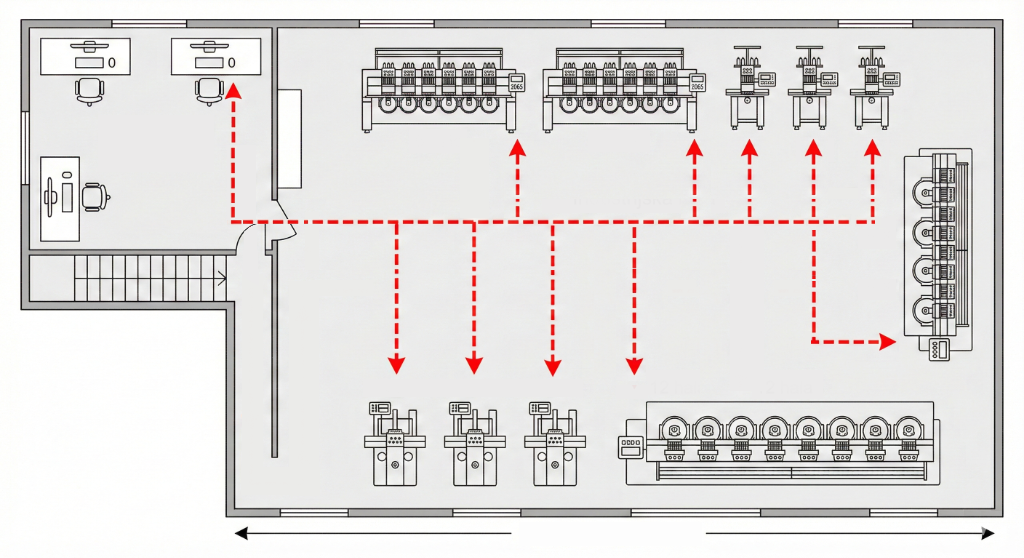
Large hall (200m²+) with multiple machines and operators. Preparation is often on another floor.
With large series, USB drives get lost or mixed up. When a 6-head machine stops due to a wrong file, 6 heads stop simultaneously. The damage is multiplied.
Loss calculation:
- Number of job changes per day: 20
- Issues per job: 1.5
- Total interactions: 30
- Time per interaction: 5 min
Daily loss: 150 minutes
Annual loss: 625 hours
Even if you already have machines connected to the network...
SMB folders are essentially just "virtual USB drives".
If you have machines connected to a network (LAN), this often only means that the USB
drive
is
replaced by a
network folder from which the machine reads; the design still needs to be manually copied to
the
folder of each
machine
individually.
If you have 6 machines, this means copying 6 times, switching between folders, and verifying.
Such a process is still slow and risky. It can quickly happen that you send the wrong design or an old version to Machine #3, while others already have the new one.
What about potential savings in Your production?
Enter data about your production and check how much "Sneaker-net" file transfer costs you annually.
Annual time loss
125 hours
That is 15.6 working days!
Annual financial loss (excl. VAT)
€1,875
*Assuming 250 working days per year.
Don't be part of the statistics.
Manual file transfer is not just an inconvenience, but a serious business problem. Automate transfer with WiFi Mapa and save hundreds of hours annually.